
-
Tired of doom scrolling?
Maybe you need somebody to stop you!
I know just a thing.
https://chromewebstore.google.com/detail/somebody-stop-me/lfdomdigmahkcbpkblcdkhicfjehjckd
A simple extension that will stop you procrastinating.
- Totally private.
- Nothing leaves your browser.
- Using browser’s built-in sync to save your settings.
- Dead simple to use.
-
Dunking Donut of AI
It is easy to criticize AI. It is easy to be contrarian and provoke an emotional response, especially when the narrative on “the Street” is highly disruptive and emotions run high. I try not to be one. I do use LLMs almost daily.
With that preface, let me tell you a story.
Over the weekend, I was helping someone set up a new mobile phone after their old one suddenly died due to a corrupted SoC.
All one-time codes (TOTP) were gone. You would be wise not to trust MS Authenticator and its backup feature.
Understandably, this generated a great deal of anxiety. Our mobile devices are often the key to many aspects of life and business. Now, add to that anxiety the fact that one of the services behind the one-time code was a password manager—in this case, 1Password.
Cue frustration number one: contacting support, only to be met with a chatbot. Unpleasant, but fine. We were desperate and needed a solution fast.
Unsurprisingly, the agent quickly offered help and, with full confidence, proposed a solution. The process was multi-step, and due to “security theater,” it required waiting a full day before it could be applied. The bot, however, was confident it would work. It seemed worth the wait.
The solution, which involved using a recovery key, was applied the next day. Everything completed correctly—except the 2FA was still enforced. The entire point of the procedure had been to remove 2FA in the first place.
When the chatbot was later confronted with the result of its initial solution, we were presented with a one-click operation that removed 2FA in just one minute. The new solution made us realise that previously suggested process was pointless and unnecessary.
Talk about frustration.
Time wasted. An unhappy customer. No liability. The clueless machine will continue spitting out wrong solutions with full confidence.
Could a human have made a similar mistake? In many cases, yes. But given how “standard” the problem was, there ought to have been a simple L1 support runbook for it. It should have been a no-brainer for any human.
Take aways?
Even if you are sold on AI and its usefulness, be cautious. LLMs do not think. Their confidence is not the result of experience or knowledge, but merely a programmed tone designed to reassure us.
I am complete.
-
Beyond Deploy – Episode 3
Episode 03 of The Beyond Deploy Podcast is live!
Listen me rant about why calling Kubernetes “hard” is nothing but a SKILL ISSUE.And also:
– the cloud debate: to use or not to use?
– is cloud really cheaper?
– navigating cloud and bare metal
– serverless solutions: the pros and consAlso available on Spotify.
-
Transparency online
I am so tired of websites, especially e-commerce and product vendors that DO NOT show their origin or location.
We make fun of the German bureaucracy but at least it forces every German business to have easy to find details in the Imprint (Impressum).
Why should I have to comb through Terms and Conditions for jurisdiction information to even know where the business is registered?
-
Somebody Stop Me! v1.1
I finally found the time to revive the Somebody Stop Me! Chrome extension.
Version 1.0 was not particularly robust. It was my first venture into the Chrome/browser extension space.
While the plugin generally functioned as advertised, several rough edges resulted in a poor user experience.
The new version, 1.1, features:
- A more reliable method for tracking temporary exceptions,
- Rule application when switching tabs, and
- Improved consistency in persisting rules.
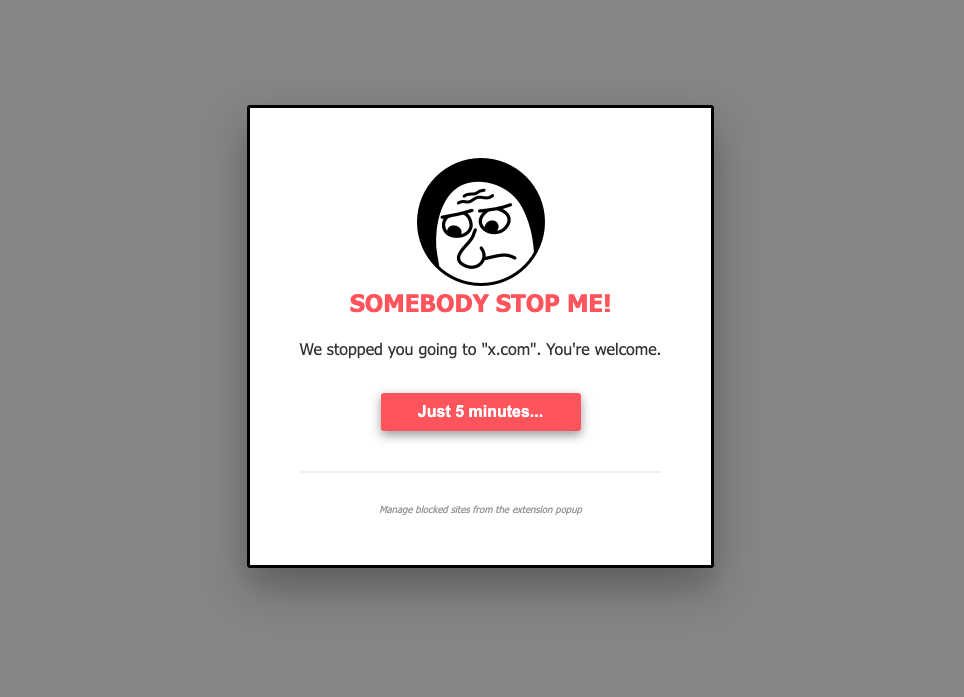
Somebody Stop Me! Web Store works with Chrome, Chromium, Microsoft Edge, Vivaldi and most Chromium derived browsers.
-
Split Keyboards
When someone offers you a split ergonomic keyboard, it is important to politely, but firmly decline.
Once you get exposed to these keyboards, they will forever spoil traditional rectangular keyboards for you. You will never be the same.

Save yourself! You have been warned!
-
USians Gone Rouge
I do not envy anyone currently doing business in the USA or with US businesses.
How do you cope with risk, knowing that the laws that should protect you do not apply?

-
Type better, not faster
If you are learning to type, I would encourage you to focus on accuracy above speed.
From my experience, in journey from measly 10WPM when touch typing to a very comfortable 92WPM, focusing on typing well, thinking – at first at least, about using correct finger, reaps the most benefit.
Speed follows accuracy.
-
RGB is Lame 👎🏻
Repeat after me:
I do not need RGB in my keyboard. I am no longer 10y old.
Ok, now that’s settled, please tell this to every keyboard manufacturer out there!
Please.
-
Visual Studio Code – Sans AI
Recent conversation on #HackerNews [1] make be aware of an interesting setting in the Visual Studio Code. Namely the
chat.disableAIFeatureswhich allows to disable all AI features [2] of the editor.Not opposed to using AI assistance. I personally do use it as well. But I like to keep VSCode lighter and snappier for ad hoc editing as it is not my main IDE.
[1] I switched from VSCode to Zed
[2] Hide and disable GitHub Copilot AI features