
-
We must move with the flow of the process
The mystery of life isn’t a problem to solve, but a reality to experience. A process that cannot be understood by stopping it. We must move with the flow of the process. We must join it. We must flow with it.
— Jamies, Dune Part One, 2021
-
I call it: Crap Weekend
So this was a great weekend.
- You can plan.
- You can prepare.
- But life can have different ideas.
-
Sometimes you need someone to police you
Today’s release of Somebody Stop Me, the version 1.3.1 includes new lockdown mode – the block PIN.

How does the block PIN work?
Ask your friend, partner, spouse, or a child to set a PIN for you. When the PIN is enabled, you cannot disable blocking of specific sites once your daily time limit expires.
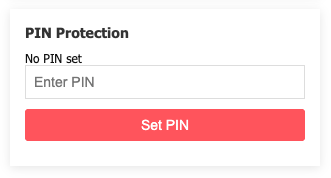
Moreover, while you can add more website to block list, you can’t remove any.
Need to do something important despite the block? You still can, but now you have to ask that person to enter the PIN. Go on, explain to your wife why wasting another hour on Twitter/X is really important.
-
Somebody Stop Me – 1.2.1
New release of Somebody Stop Me got to Chrome Web Store yesterday.
Version 1.2.1 is packed!
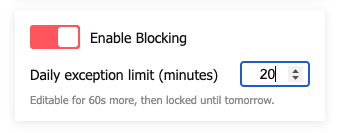
- Daily exception time limit. You can by pass block only until you use your daily limit.
- The daily is configured by default to 15 minutes. You can adjust it between 1 and 60 minutes. But you can do it only once a day.
- You now have an exception button for one or five minutes. At the bottom, you will see a progress bar showing how much time you have left for the given website.
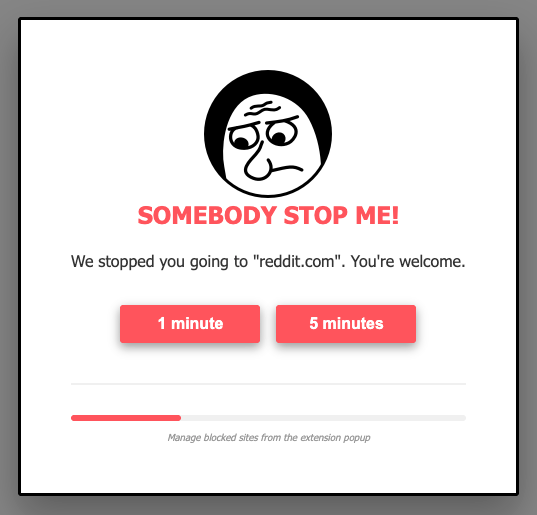
- When the time runs out and you still want to ask for an exception … well, I am not going to tell you what’s going to happen. Try it for yourself.
All the above settings and rules are stored in browser sync storage. As always, nothing leaves your browser. The extension makes no external calls.
Enjoy!
- Daily exception time limit. You can by pass block only until you use your daily limit.
-
Casually hitting 99WPM

If you hear someone telling you you can easily reach 100WPM on split keyboard, take it with a grain of salt. That is likely true if you are already proficient at touch typing.
I was not.
Getting to 100WPM took ages.
Only now, after 6 months I reach these speeds with casual practice without massive focus and multiple attempts.
But the ordeal was not due to split keyboard nor the ortholinear layout of Lily58.
It was due to the fact I had to learn touch typing in the first place.
Don’t give up.
Your hands, fingers and brain will thank you.
P.S. At this point my speed on standard row staggered slab and split ortholinear keyboards are pretty much the same with smooth switching between the two.
-
US Convenience vs EU Freedom
If you abort your European journey at the first, or second or even third snag, let me leave you with this.
This is an extract from Cory Doctorow’s blog post:
If Trump wants to steal Greenland, he doesn’t need tanks or missiles. He can just tell Microsoft and Oracle to brick the entire Danish state and all of its key firms, blocking their access to their email archives, files, databases, and other key administrative tools. If Denmark still holds out, Trump can brick all their tractors, smart speakers, and phones. If Denmark still won’t give up Greenland, Trump could blackhole all Danish IP addresses for the world’s majority of transoceanic fiber. At the click of a mouse, Trump could shut down the world’s supply of Lego, Ozempic, and delicious, lethally strong black licorice.
— Cory Doctorow, EU ready to cave to Trump on tech
Don’t tell me you are loosing competitive advantage by going European.
You are loosing real, tangible self-determination and freedom by NOT going European.
-
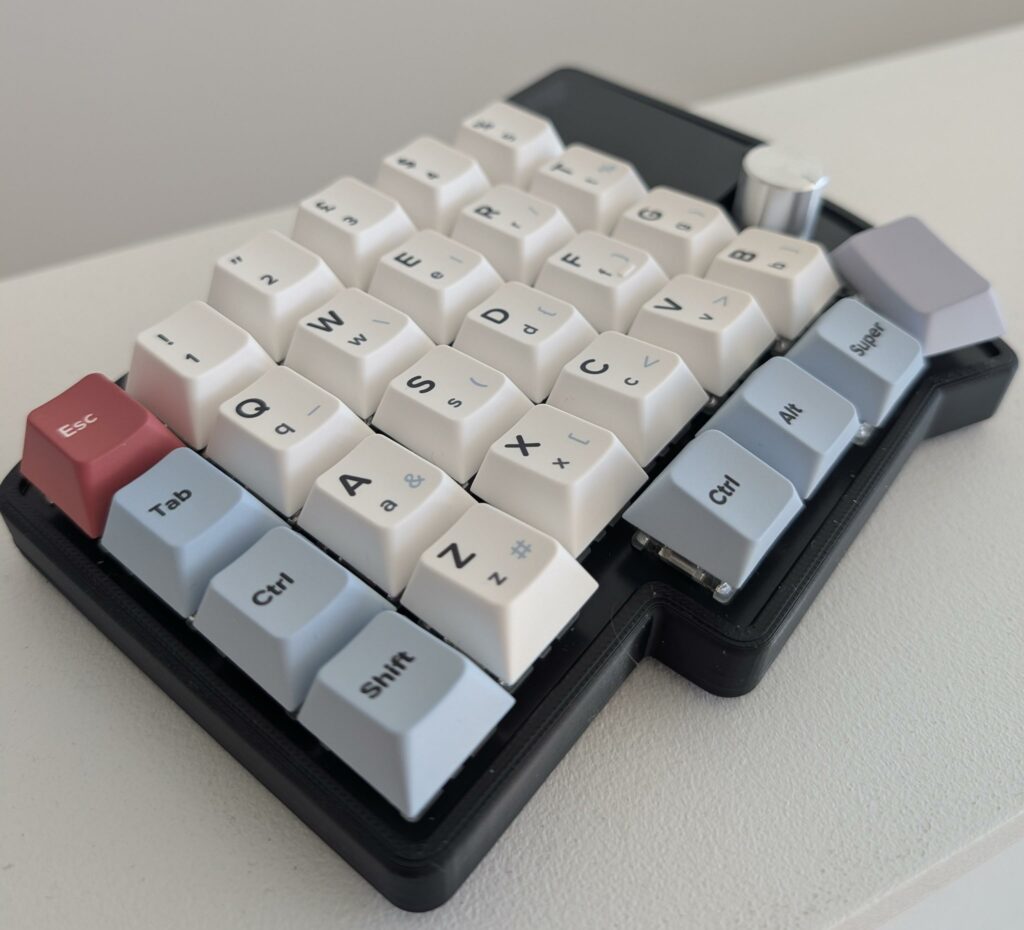
Split ergo with custom cherry profile
- Keyboard: Lily58
- Switches: Cherry MX2A Brown
- Keycaps: Custom set from Yuzu Keycaps
-
“Security Research Slop” Accelerated by AI
The past few months have been increasingly frustrating.
Previously, we received “vulnerability” reports from “security researchers” that, while often inaccurate, at least related tangentially to our service.
Today, we are flooded with AI-generated long-form reports that discuss random features – features we neither have nor offer.
The AI-generated slop is well-written and appears professional.
Yet it is entirely irrelevant.
This is what we are burning the planet for.
This is why we face a chip shortage.
This is why investment money flows to rubbish startups instead of supporting useful products.
Please make it stop.
-
Custom Keyboard electronics prowess or lack of it
I love custom keyboards. I soldered my own Lily58, which I consider to be an amazing keyboard. Currently, I am gearing up to complete my very first single-slab Unix60. The joy of building these is real.
However, it is hard to pretend that, electronically, these are still fairly janky devices.
For example, a recently purchased Eyelash Corner (Corne-J) has questionable solder quality. Split keyboards often use TRRS connections, which can result in fried electronics. Cheap boards sometimes feature dubious battery power management solutions. The list goes on.
Yet, the problem is not limited to DIY keyboards. The impressive Varmilo Minilo 75Pro recently failed me. While switching modes from Bluetooth to 2.4 GHz, the switch briefly jumped to an undefined position. For a fraction of a second, it was in neither position. After correcting the switch setting, the board behaved differently—it had reset its settings to factory defaults. My VIA keymap was gone.
Something glitched, and the board reset itself.
It appears that, for the most part, programmable keyboards are not electronically perfect. Something to keep in mind.
-
Sponsored Not Sponsored
Let us talk YouTube. Or, as it should perhaps be called, the TV Shopping Channel Slop.
Barring a few genuinely interesting creators, most of YouTube has turned into sponsored content.
It is increasingly difficult to find a video that is not sponsored. Of course, creators will claim that the video is not sponsored and that, although they received the product for free, the review remains unbiased, without vendor input, and was published without editorial influence.
But let us be honest: how can we trust such claims? The likelihood is that, either consciously or unconsciously, the reviewer understands that criticizing the sponsor could jeopardize future sponsorship opportunities.
For my part, I treat these reviews as advertorials.